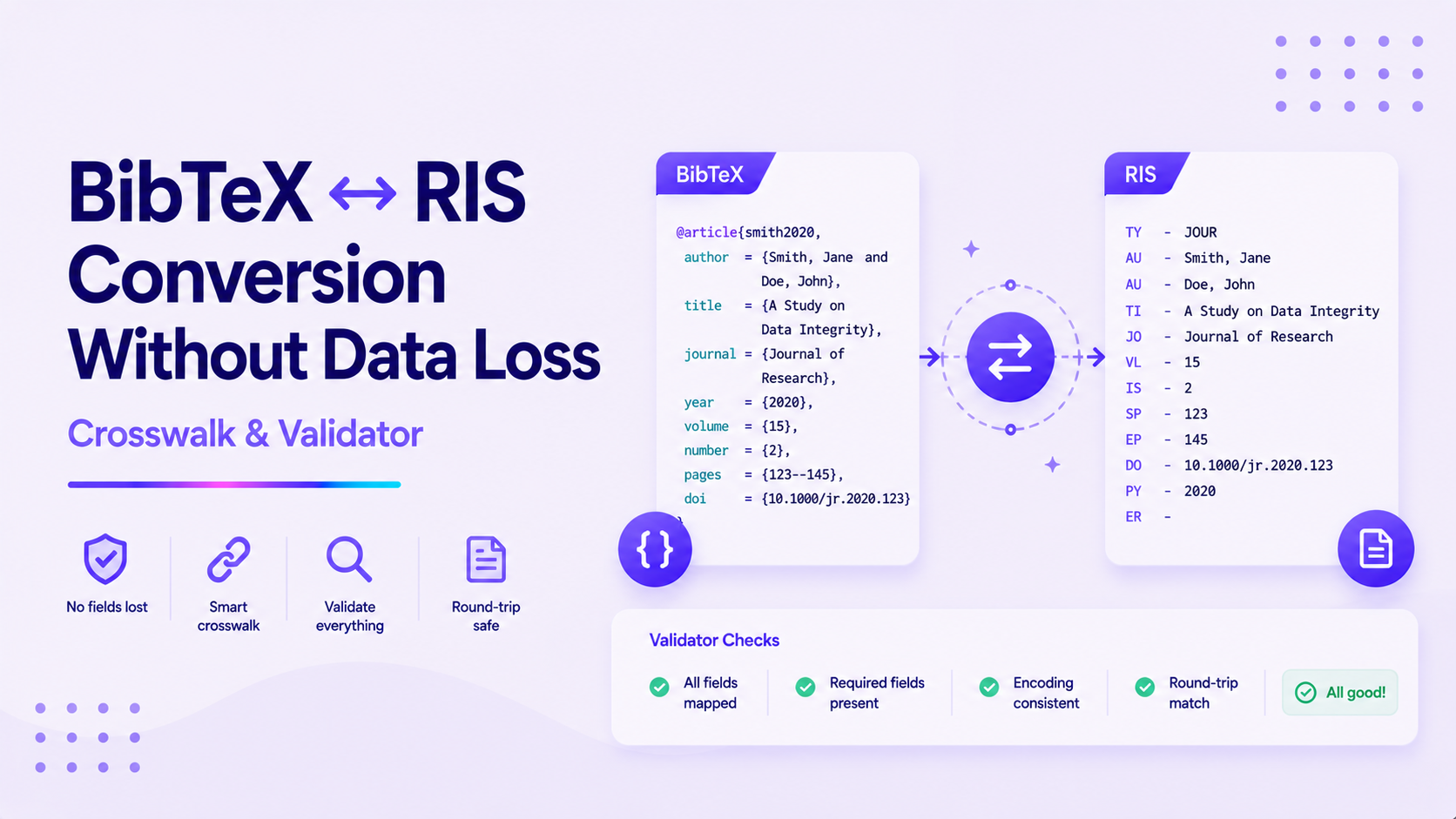
BibTeX ↔ RIS Conversion Without Data Loss: Crosswalk & Validator
A definitive crosswalk and validation checklist to preserve fields when you switch formats.
If you've ever moved your references between LaTeX and a citation manager, you've probably discovered that converting BibTeX to RIS isn't always straightforward. Missing DOIs, incomplete author information, or formatting inconsistencies can quickly turn a simple migration into hours of manual cleanup.
This guide explains how to convert BibTeX and RIS files without losing important metadata, explores the most common conversion challenges, and shows how tools like SciSpace can simplify the process.
Key Takeaways
BibTeX and RIS store bibliographic information differently, so careful field mapping is essential during conversion.
Common challenges include mismatched field structures and encoding issues, which can be mitigated with validation checklists and AI tools.
SciSpace offers seamless format conversion, preserving all metadata through automated workflows that integrate with research pipelines.
A structured process of preparing, converting, and validating references minimizes errors.
Incorporate authoritative sources from .edu sites for reliable guidance on bibliographic standards.
FAQs
Frequently Asked Questions
BibTeX is a plain-text format for LaTeX documents, focusing on fields like 'booktitle', while RIS is tagged for reference managers, using codes like 'AU' for authors. Conversions require careful mapping to avoid data loss.
Why BibTeX ↔ RIS Conversion Without Data Loss Matters for Researchers
In academic research, maintaining accurate bibliographic data is crucial for reproducibility and credibility. Converting between BibTeX (common in LaTeX-based workflows) and RIS (used in reference management tools) without losing fields like DOIs or abstracts can prevent citation errors and save hours of manual fixes.
According to the Purdue OWL guide, improper format handling leads to common referencing issues in theses. This conversion ensures seamless integration across platforms, supporting interdisciplinary work where formats vary. A reliable conversion workflow helps you:
Understand your workflow needs: Assess if you're switching for compatibility with reference managers.
Prioritize data integrity: Focus on preserving all metadata to avoid rework.
Leverage tools early: Integrate converters to streamline from the start.
Check compliance: Ensure formats align with journal guidelines like APA or IEEE.
Document changes: Track conversions for audit trails in collaborative projects.
For instance, a biomedical researcher exporting citations from PubMed into BibTeX may later need an RIS library for a reference manager used by collaborators. Likewise, a computer science researcher preparing a LaTeX manuscript might convert an RIS database into BibTeX while ensuring URLs, conference information, and DOIs remain intact, as per MIT Libraries' recommendations.
Key Challenges in Formats Convertors
Although BibTeX and RIS often describe the same publications, they organize citation data differently. Successful conversion depends on correctly mapping each field while preserving metadata that may not have an exact equivalent in the target format.
Some of the most common challenges include:
Field incompatibility: BibTeX's 'booktitle' may not directly map to RIS's 'T2' for secondary titles.
Encoding problems: Special characters in abstracts can corrupt during conversion.
Batch processing limitations: Handling large libraries risks partial data loss.
Lack of validation: Without checks, errors go unnoticed until publication.
Tool-specific quirks: Free online converters often ignore custom fields.
For example, an environmental science bibliography containing geographic metadata may lose specialized fields during conversion if the software doesn't support them. Similarly, humanities researchers working with annotated bibliographies may find that notes or custom metadata require additional review after conversion. For related strategies, see our guide on preserving structure in conversions.
How to Use SciSpace for BibTeX ↔ RIS Conversion
SciSpace simplifies BibTeX and RIS conversion by combining AI-assisted metadata mapping with tools designed for research workflows. Instead of manually recreating references or correcting missing fields after conversion, researchers can automate much of the process while preserving important citation information.
Select the target format: Choose RIS or BibTeX as needed.
Apply AI mapping: The tool automatically crosswalks fields, handling conversions to JATS XML if needed for publishing.
Review suggestions: Check AI-proposed mappings for custom fields.
Validate and export: Use built-in checks to ensure no data loss, then download in the desired format.
Integrate with workflows: Link to other SciSpace tools for further processing.
This workflow addresses pain points like field mismatches by leveraging AI for accuracy.
Step-by-Step Workflow for BibTeX ↔ RIS Conversion
A structured workflow helps reduce conversion errors and makes it easier to identify missing metadata before it affects your bibliography. It's worth validating the output before importing it into your reference manager. A simple workflow looks like this:
Prepare your files: Export clean BibTeX or RIS from your manager, backing up originals.
Map fields using a crosswalk: Align 'author' to 'AU', 'title' to 'TI', and handle extras like 'doi' to 'DO'.
Convert with a reliable tool: Use scripts or AI to process, checking for errors.
Validate output: Compare fields against a checklist for completeness.
Integrate and test: Import into your reference software and spot-check citations.
The table below highlights some of the most common field mappings between the two formats:
BibTeX Field
RIS Tag
Description
author
AU
Author names
title
TI
Primary title
abstract
AB
Abstract text
doi
DO
Digital Object Identifier
keywords
KW
Keywords
url
UR
URL link
For example, a biology researcher exporting references from a genomic database may need to ensure keywords and DOIs remain intact after converting to RIS. Similarly, an engineering researcher migrating a patent bibliography into BibTeX should confirm that publication identifiers and URLs have transferred correctly before continuing with manuscript preparation.
Best Practices & Common Pitfalls
Adopt these practices to minimize errors in conversions, drawing from COPE standards for research integrity.
Use standardized crosswalks: Reference library templates to map consistently.
Test small batches: Convert a few entries first to catch issues early.
Avoid manual edits post-conversion: They introduce inconsistencies.
Update tools regularly: Ensure compatibility with latest format versions.
Document your process: For reproducibility in team settings.
Backup everything: Always keep originals before conversion.
One common mistake is assuming that every field has transferred correctly simply because the references import without errors. Citation managers often hide missing metadata until you generate a bibliography or switch citation styles. Spending a few minutes reviewing imported references can prevent missing DOIs, incomplete author lists, or incorrect publication details later.
Imagine you're preparing a collaborative research project where one team uses LaTeX while another relies on a reference manager that imports RIS files. A practical workflow might look like this:
Gather data: Export 50 PubMed entries in BibTeX.
Map and convert: Use a crosswalk to align fields, then process via tool.
Validate: Check abstracts and DOIs match originals.
Integrate: Import to your reference manager and generate a sample bibliography.
Example 1: In oncology, convert BibTeX with trial IDs to RIS, preserving 'clinical trial' notes for meta-analysis. Example 2: In economics, shift RIS econometric data to BibTeX, maintaining 'dataset' fields for replication, as per World Bank's data guidelines.
Final Checklist for BibTeX ↔ RIS Conversion
Before considering the conversion complete, confirm that you've completed the following:
Backup original files before starting.
Verify field mappings using a crosswalk table.
Test conversion on a small sample.
Check for encoding issues with special characters.
Validate all key fields like DOI and abstract.
Import and test in your reference manager.
Document the process for future reference.
Update tools to the latest version.
Avoid manual edits after conversion.
Consult authoritative guides if issues arise.
Conclusion & Next Steps
Converting between BibTeX and RIS doesn't have to involve missing metadata or extensive manual cleanup. By starting with well-structured reference libraries, using reliable conversion tools, and validating the results carefully, you can move references between research workflows while preserving the information that matters.
Assess your current tools: Identify conversion needs.
Try SciSpace: Test a free conversion.
Refine based on feedback: Adjust for your discipline.